
Save Facebook
Photos at Full Size
One photo, the way it was uploaded. Paste the link into the Facebook photo downloader and the picture is downloading at the size Facebook is actually storing, straight from Facebook, nothing re compressed and nothing cropped.
Free. No signup. Original quality JPG.
Original Quality, Untouched
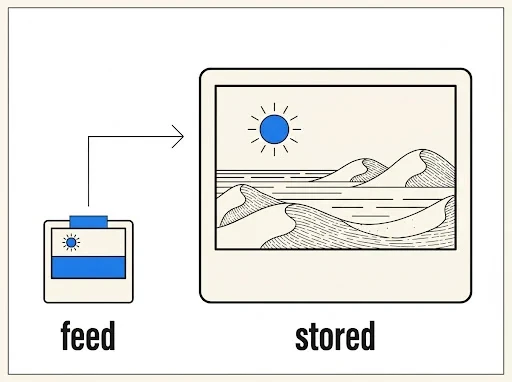
The feed shows a resized preview. We fetch the largest rendition Facebook keeps on its servers, what the uploader posted is what lands in your downloads folder.
One Link, One Picture
Paste the link of the photo you were looking at, from the viewer or the share sheet, and that exact picture is coming back, not the whole post around it. Whole albums have their own page, Album Download, in the footer.
Mixed Posts Handled
A post carrying photos and a clip together gets split apart, every photo and every video receives its own download button.
The Size Facebook Actually Stores
The image you see in the feed is a resized preview. The file we fetch is the largest rendition on Facebook's CDN, often several times bigger than the preview. Portraits, screenshots, scanned documents, artwork: whatever was uploaded comes back at full stored size.
Files download as JPG with no watermark and no processing on our side.
Paste It the Way You Copied It
Facebook hands out different link shapes depending on where you copy from, the app share sheet, the browser address bar, the photo viewer. All of them land in the same place here.
https://www.facebook.com/share/p/gep5QPJZNa81fYdu/Share link from the Facebook app, tap share, copy link on any photo post
https://www.facebook.com/photo/?fbid=1054829332911343Single photo opened in the full screen viewer on desktop
https://www.facebook.com/nasa/posts/10160582649071772Page or profile post that carries one or more photos
https://www.facebook.com/photo.php?fbid=1054829332911343The older photo link shape from desktop, it is working the same way
When a Photo Will Not Download
Private Posts
Photos shared with friends only or inside private groups are not publicly reachable. Only public photos work.
Locked Profiles
Profiles using Facebook's profile lock hide their photos, including the profile picture, from everyone outside their friend list.
Deleted Posts
If the post or album was removed after you copied the link, the photos are gone from Facebook's servers too.
Tagged Only Visibility
Some photos are visible only to people tagged in them. Those never load for anyone else, including us.
Why Not Just Take a Screenshot
Fair question, and for a meme it is the right answer. For a photo you actually want to keep, four things are going wrong with the screenshot, and the download is fixing all four.
A Screenshot Is a Picture of Your Screen, Not the Photo
It is capturing the pixels your screen is showing, at your screen's resolution, with the compression Facebook applied for the feed already baked in. A four thousand pixel wide upload is coming out at the width of your phone, about a thousand pixels, and printing it is where you find out. The downloaded file is the largest rendition Facebook is storing, often three or four times the pixels of what the feed is showing.
Cropping Is Where the Time Goes
The status bar, the like row, the caption, a corner of the next post, all of it is in the frame. Then you are cropping, and the crop is never quite straight, and the photo is losing another slice off each edge. The file has nothing to crop. It is the photo, edge to edge, the way it was uploaded, with the right aspect and no black bars.
Some Screens Are Refusing the Screenshot
Work phones under a device policy, some banking secured handsets, and certain Android models blocking capture inside apps that ask for it. The buttons click, nothing saves, or a black frame saves. A download is not touching the screen at all, it is a file coming from Facebook's servers through your browser, so the policy has nothing to block. If your screenshot is coming out black, this page is the fix, not a new phone.
Ten Photos Are Ten Screenshots, or Ten Links
A post with ten photos is ten screenshots, each one cropped, each one named IMG something. Or it is ten links and ten full size JPGs with real names. And when it is a whole album, the Album Download page is doing all of them from one link, hidden photos behind the plus number included. Twenty minutes against twenty seconds, put it that way.
Photos are one piece, grab whole albums, videos, reels, stories and MP3 audio from the same paste bar.